Medkart Retail Excellence (MRE)
About the project
Date:
Aug 6, 2025
Client:
Medkart Pharmacy
Services:
Web Design
Application

Project Details
Problem Statement: Medkart operates dozens of retail stores, but store managers (AOM/ASM/COM/HO) had no single way to track daily operational tasks — audits, restocking, compliance checks — leading to missed SLAs and inconsistent store performance.
Solution: I designed/built Medkart Retail Excellence (MRE), a platform that centralises task management, tracking, and accountability across all Medkart stores in real time.
It's engineered to optimise retail operations across Medkart stores. By streamlining task management, MRE empowers store staff to maintain compliance and operational efficiency, while providing administrators with real-time oversight of store health and daily workflows.
Timeline of the project: August'25 - January'26
My Role & Responsibilities: Leading the end-to-end UI/UX design as a Solo Designer, navigating complex operational dependencies to deliver a seamless tracking and management experience.
As a UX/Product designer at Medkart Pharmacy, I owned the design ideas, starting from understanding the user flow from Tech Head, Developers, and PMs to delivering the outcome, with multiple iterations and feedback.
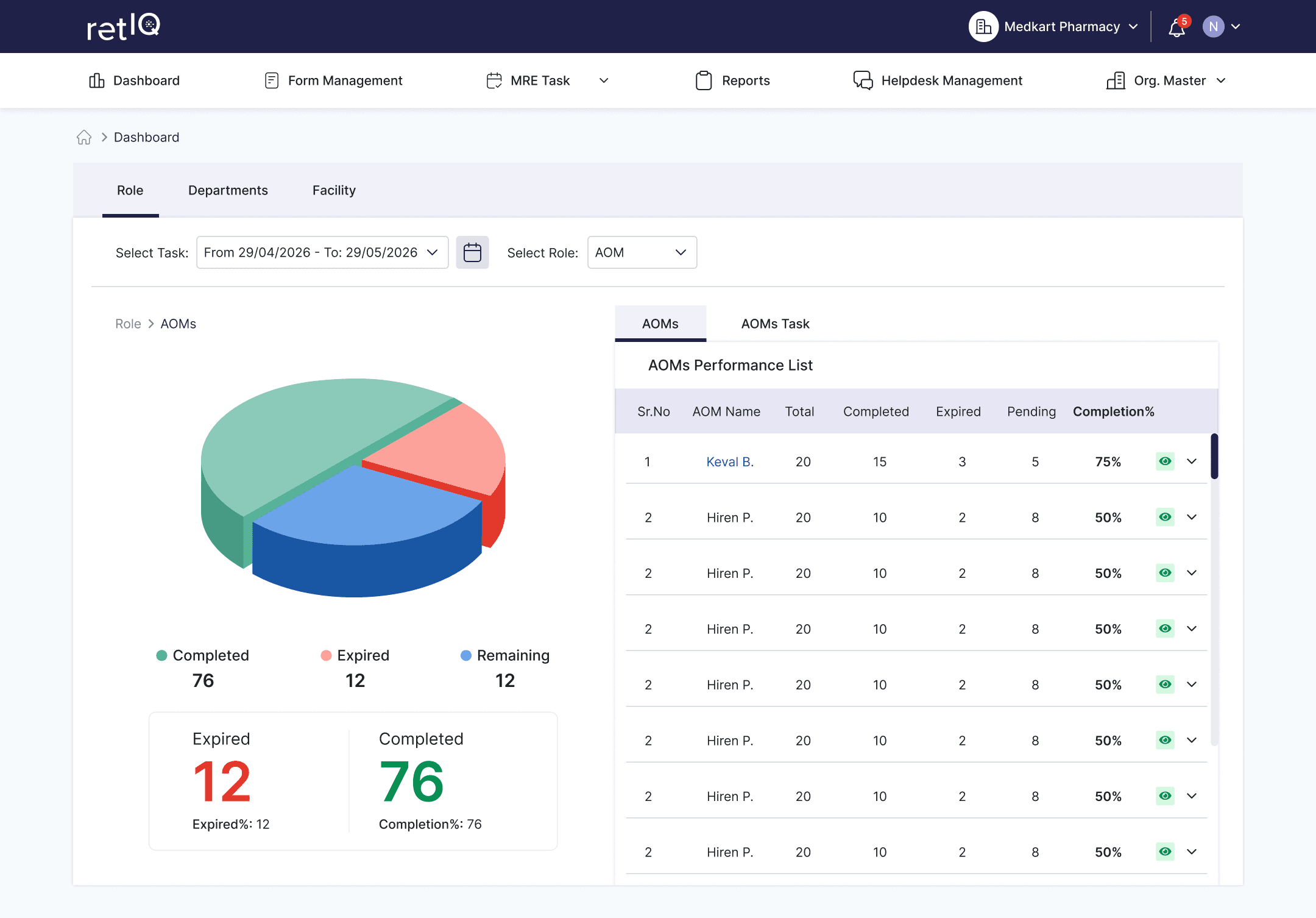
Modules I worked on under MRE:
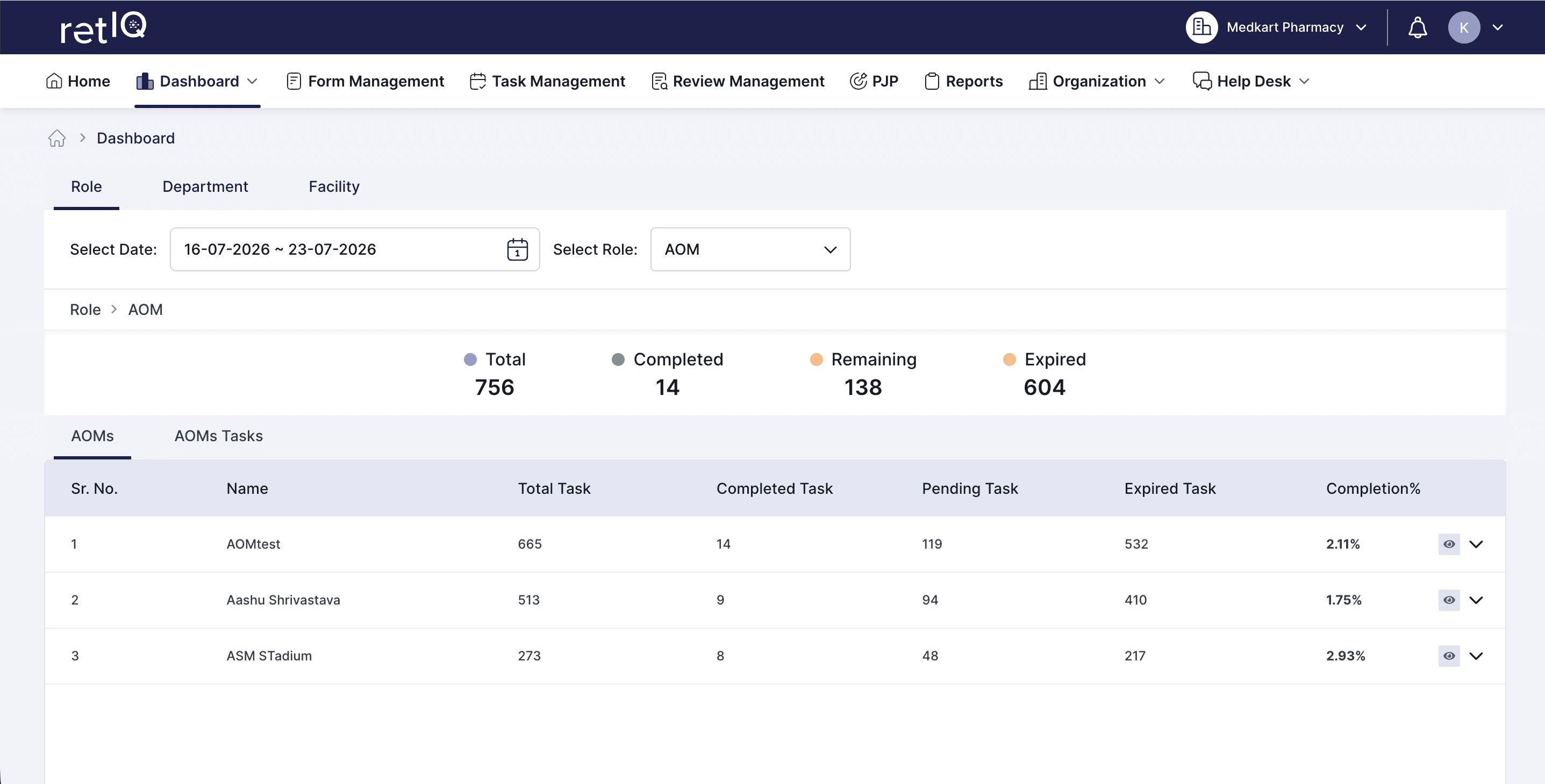
Dashboard Module: Task Dashboard, Reviewers Dashboard {WEB & APP}
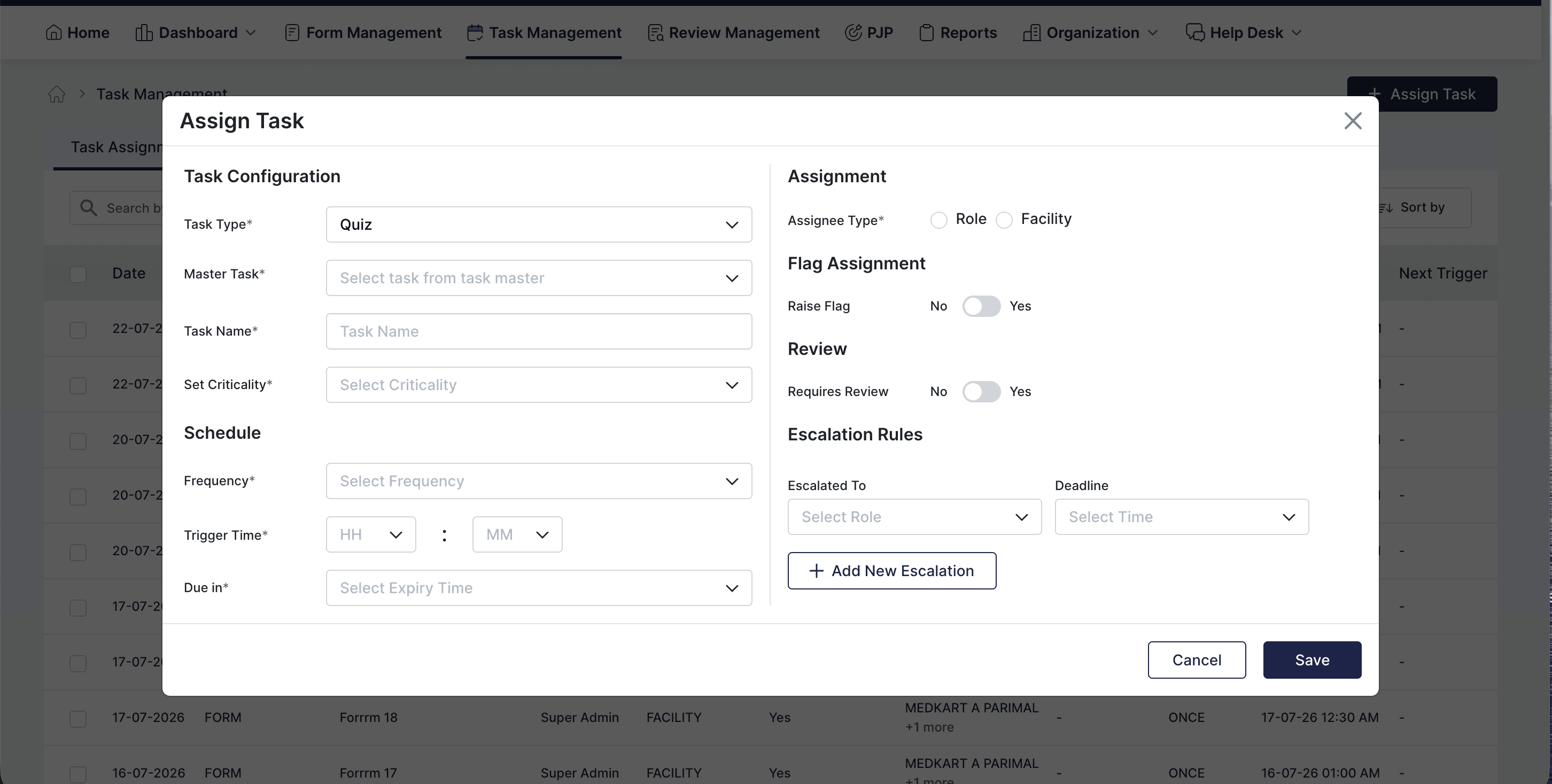
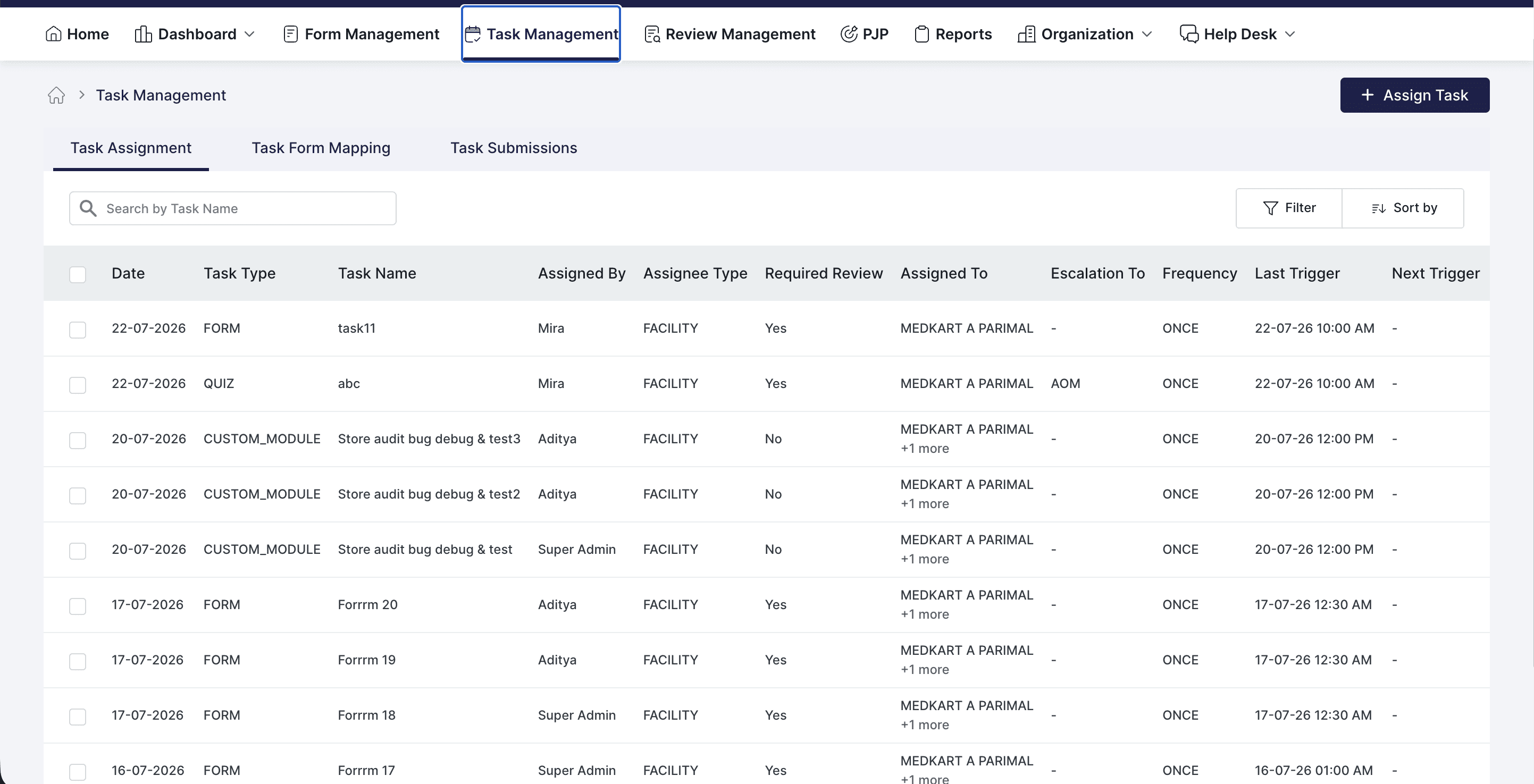
Task Management Module: Task Assignment, Task Form Mapping, Task Submissions
Review Management Module {WEB & APP}
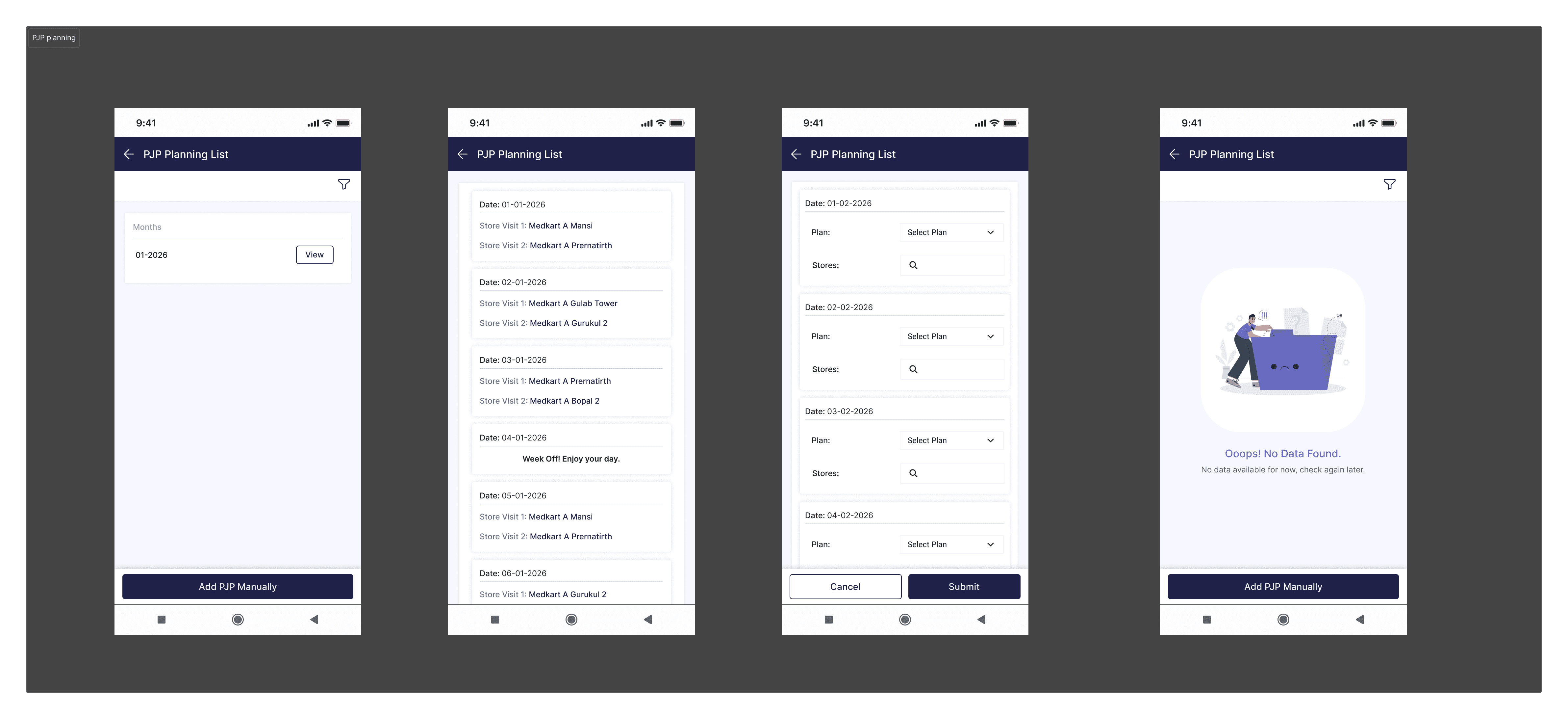
PJP Module {WEB & APP}
Organisation Module: Manage Notifications {WEB}
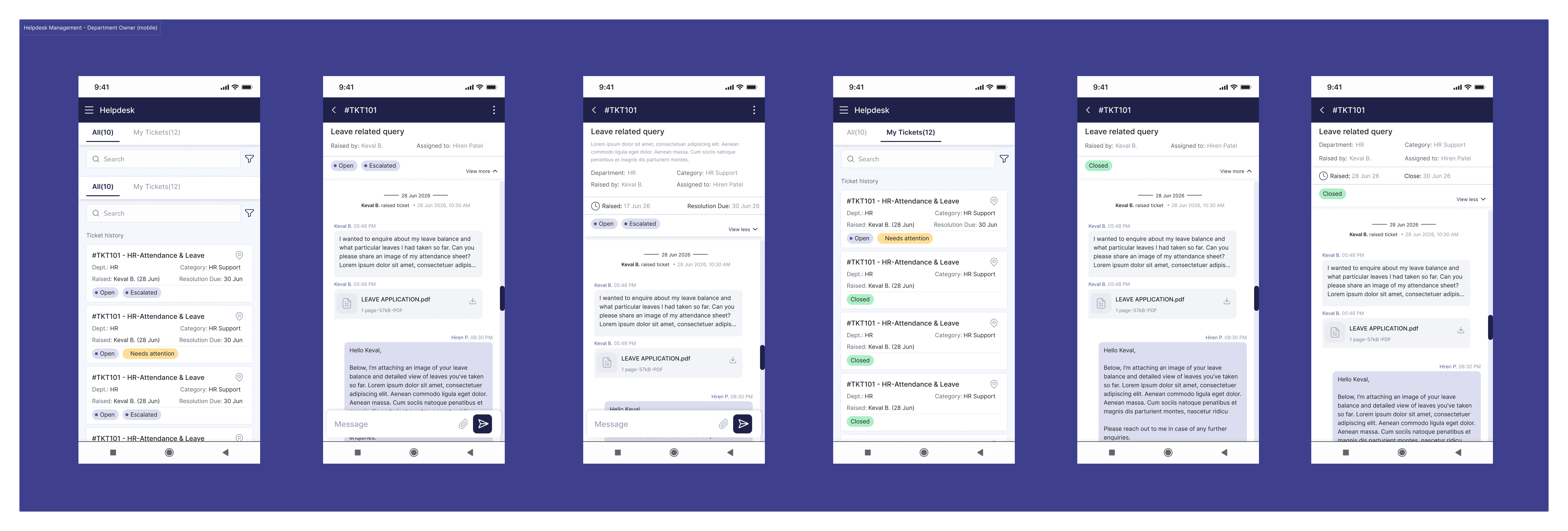
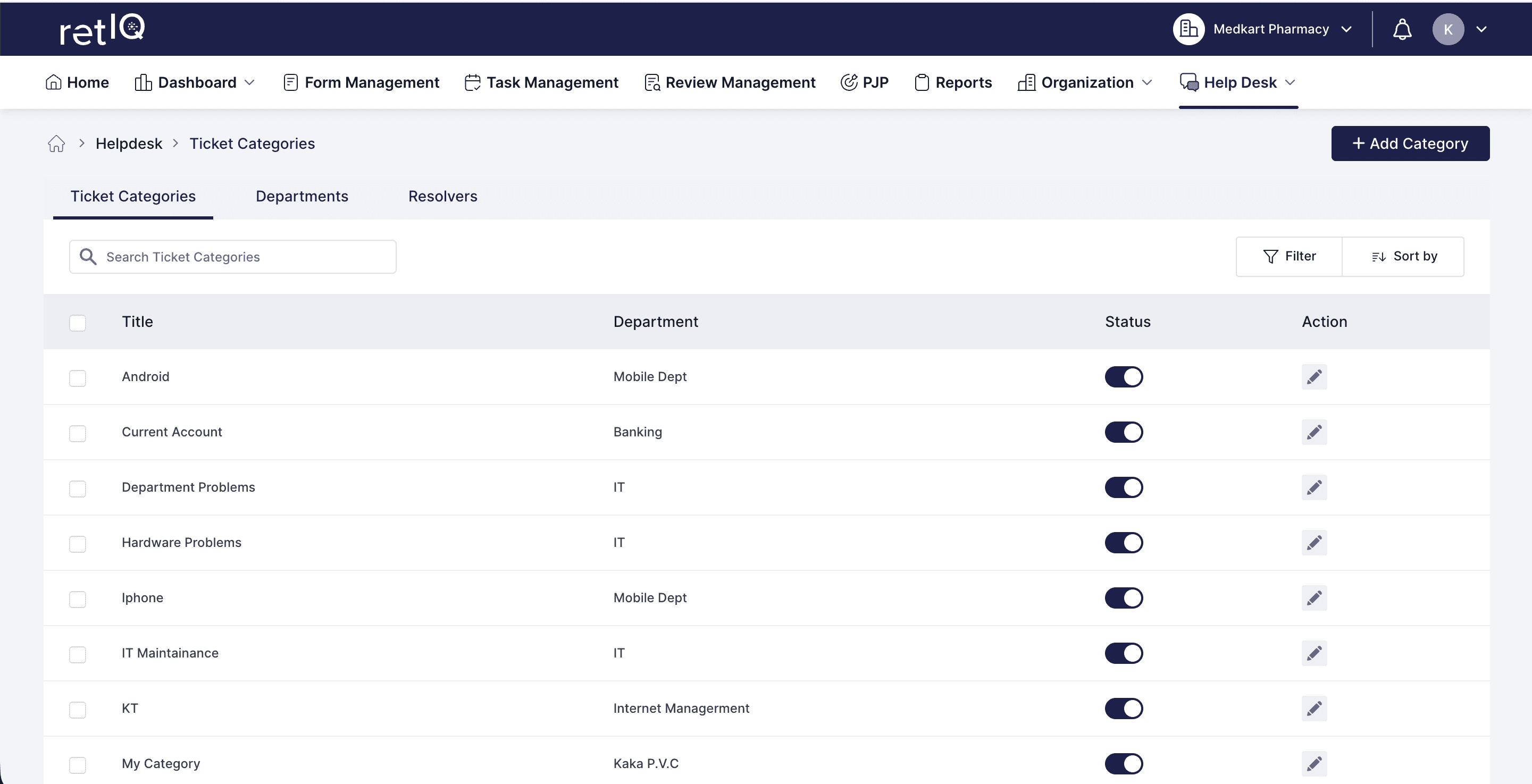
Helpdesk Module: Configuration, Manage Tickets {WEB & APP}
My Process:

I tried to understand the requirements with the operations team & communicated with my Tech Head what would be the optimal user flow.
I sat with developers to understand the development feasibility.
I quickly wireframed the initial design and gathered as much UI/UX inspo as possible from various sources. (eg. google, mobbin, dribble, behance, framer)
I then iterated on my design and simplified the user flow to make it easy for developers to work on.
Later, the developer handoff was completed, and I helped them fix UI Bugs.
Our team presented the demo of the aforementioned modules to operations teams.
There were a few more iterations before it was finally launched in February 2026.
Major Screens:
Impact:
Streamlined daily operations for store users and increased productivity by 65%.
Enhanced administrative visibility by condensing complex data into effective visuals.
Improved compliance and accountability by flagging & maintaing task's status.
Learnings:
Designing for non-desk, non-technical users and simplifying the design system.
Navigating Complex Operational Dependencies.
Handling scale and reliability at the retail edge.
Multiple stores, inconsistent connectivity, and simultaneous updates surfaced real engineering/design challenges around syncing, offline support, and data consistency that don't show up in a single-user prototype.